
Bright Canoe Business, on your phone & tablet
Everything you run on brightcanoe.com, built for the moments you are away from your desk. Confirm bookings your AI receptionist made, run field jobs from the road, and turn an iPad into a front desk.
Free download for iPhone, iPad and Android. Sign in with the account you already use.
Download the app
Search "Bright Canoe Business" on the App Store or Google Play, or tap a button above.
Sign in
Use the same Google or email login you use on the web. No new account needed.
Turn on notifications
Get alerted the moment a booking, message or AI-handled call comes in.
On iPhone & Android
Run your day from anywhere
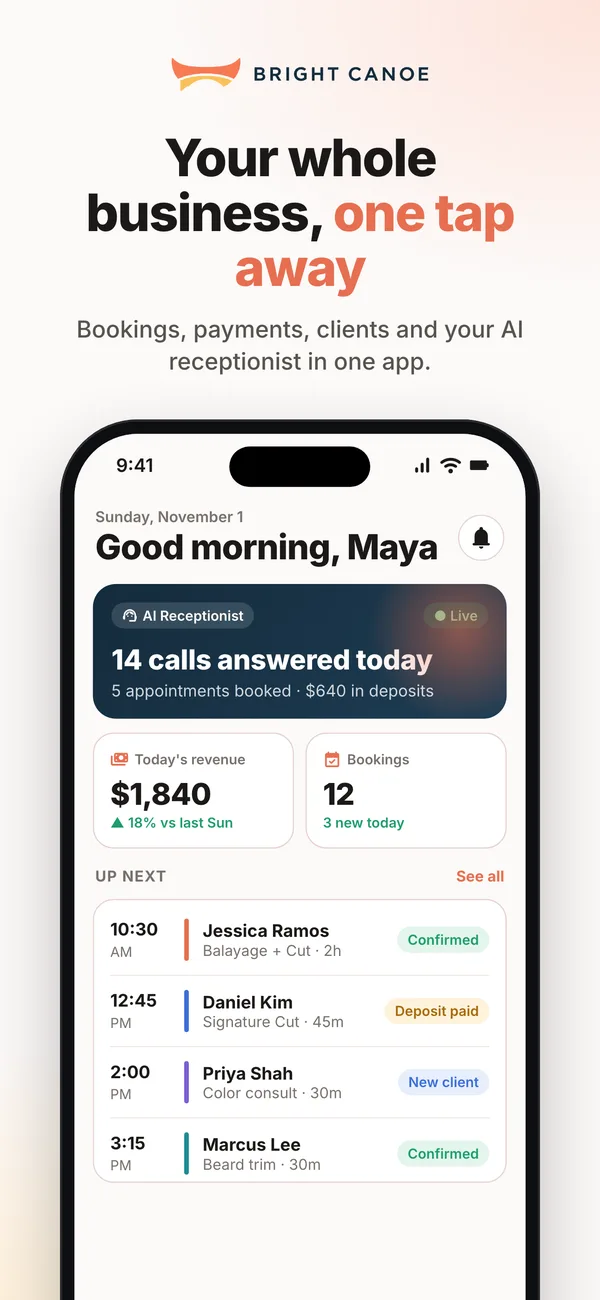
The things that need you right now, one tap away, whether you're between clients or on the road.
Instant alerts
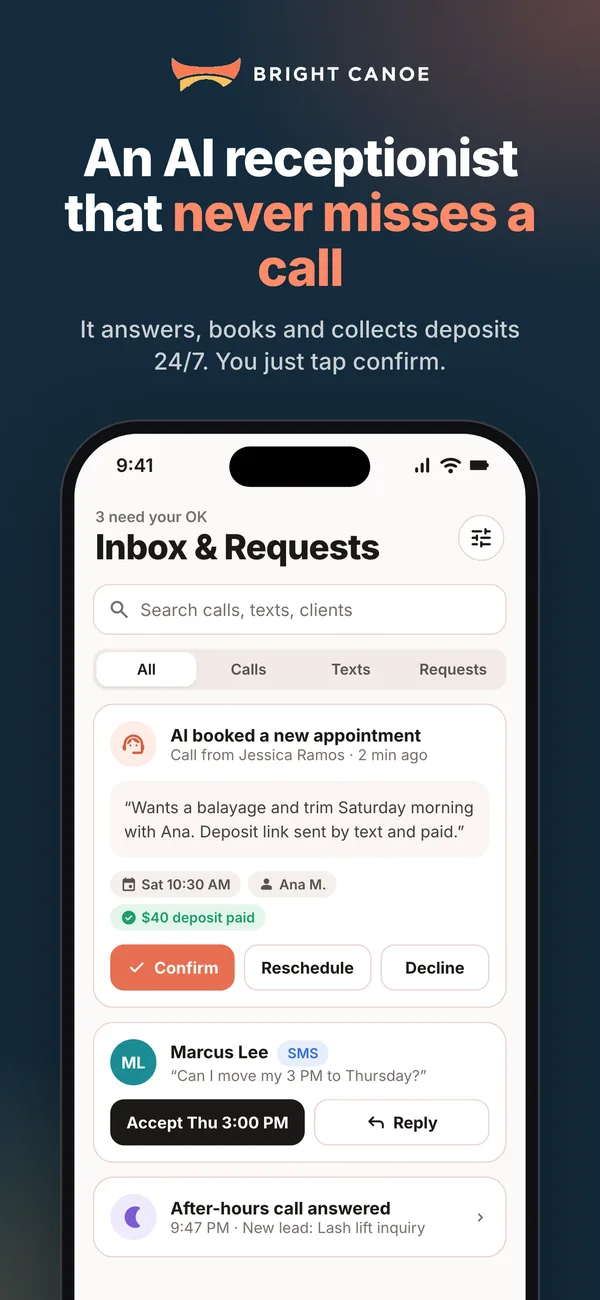
Push notifications for new bookings, client messages and every call your AI receptionist handles.
One-tap decisions
Confirm, reschedule or decline requests straight from your Inbox, with the AI's call summary right there.
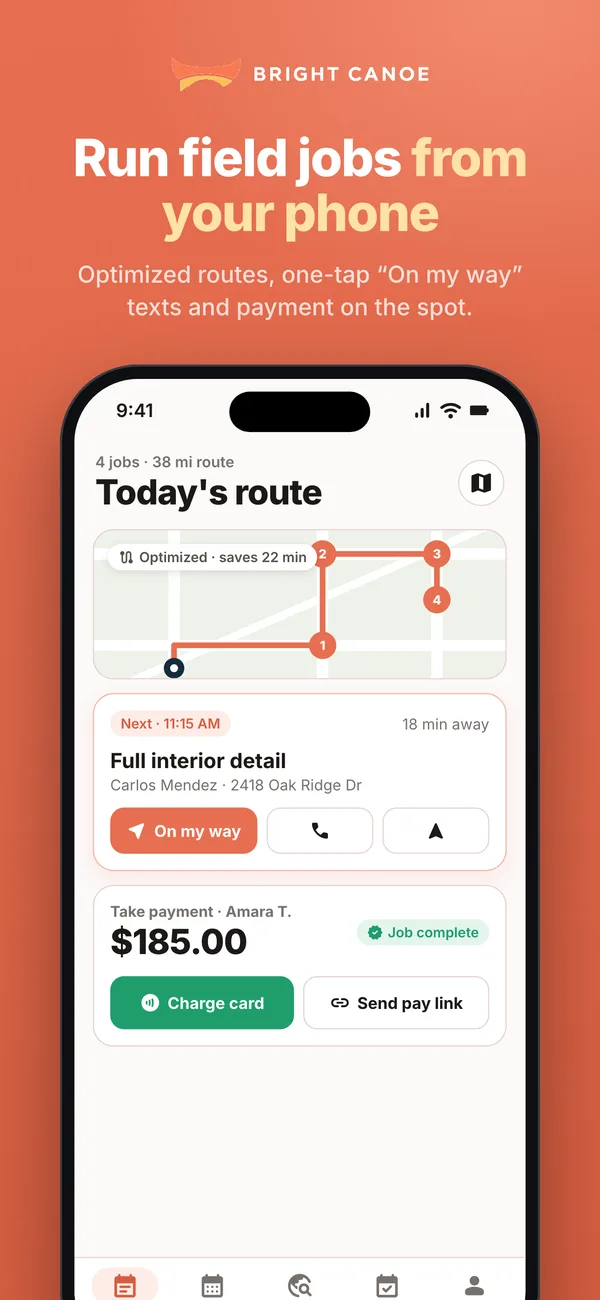
Field jobs
See today's route, send a one-tap “On my way” text, and take payment by card or pay link when the job is done.
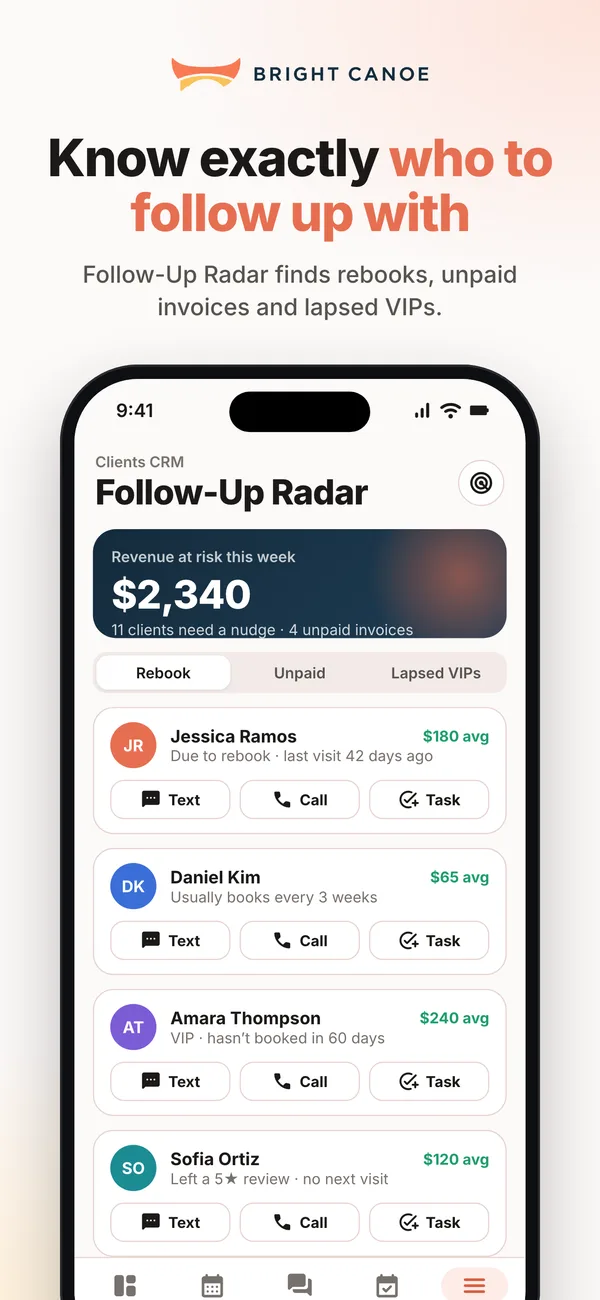
Follow-Up Radar
Spot clients who are due to rebook, have unpaid invoices or have gone quiet, then text or call them in a tap.
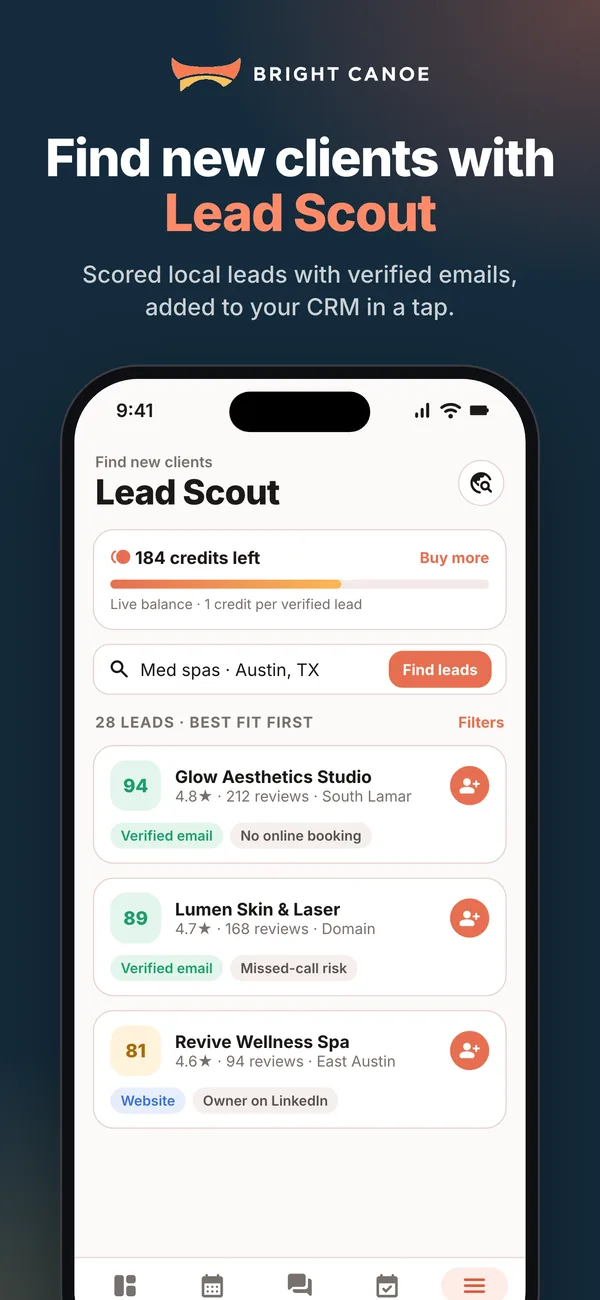
Lead Scout
Find scored local leads with verified emails and add them to your CRM. Uses the same lead credits as the web.
AI assistant with voice
Ask out loud: “Move my 3 PM to Thursday” or “Who’s booked tomorrow?”
On iPad & Android tablets
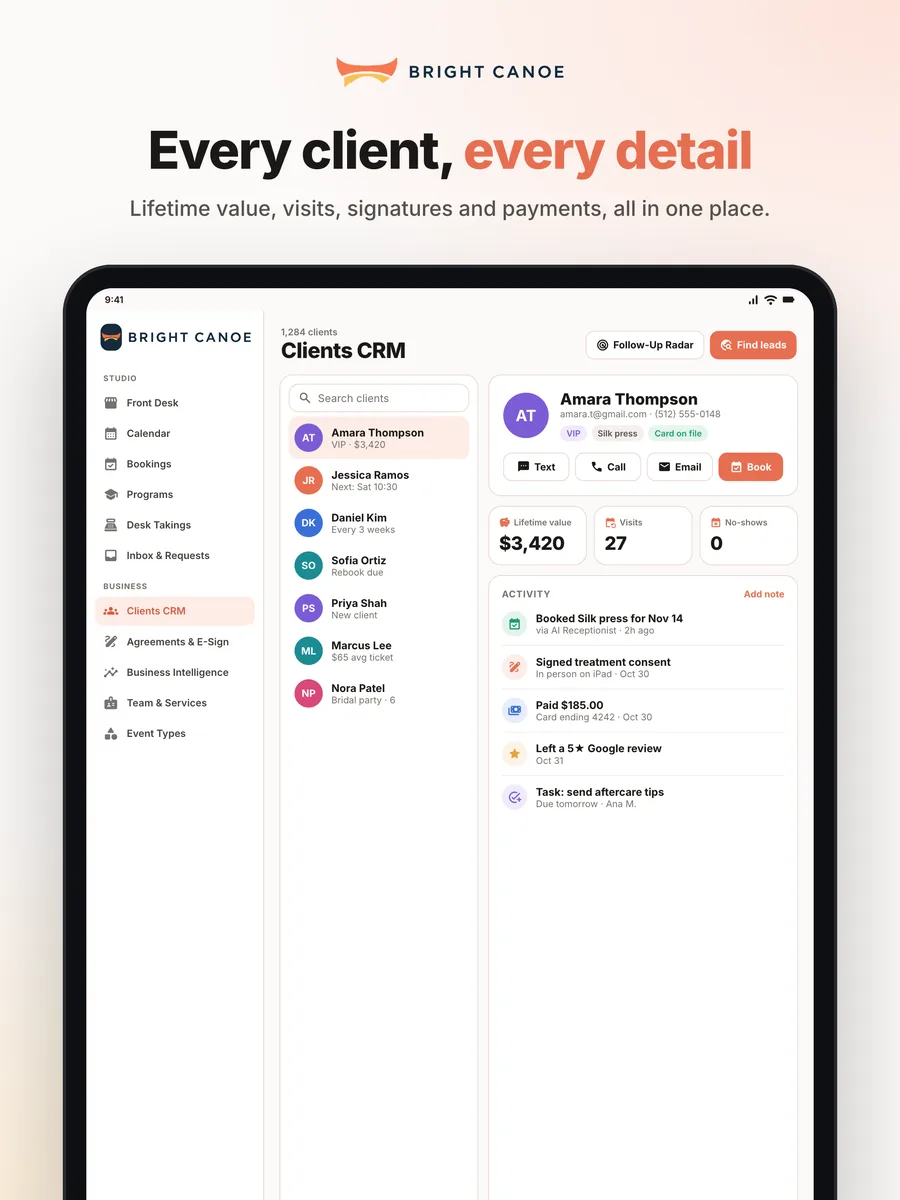
A full front desk at your counter
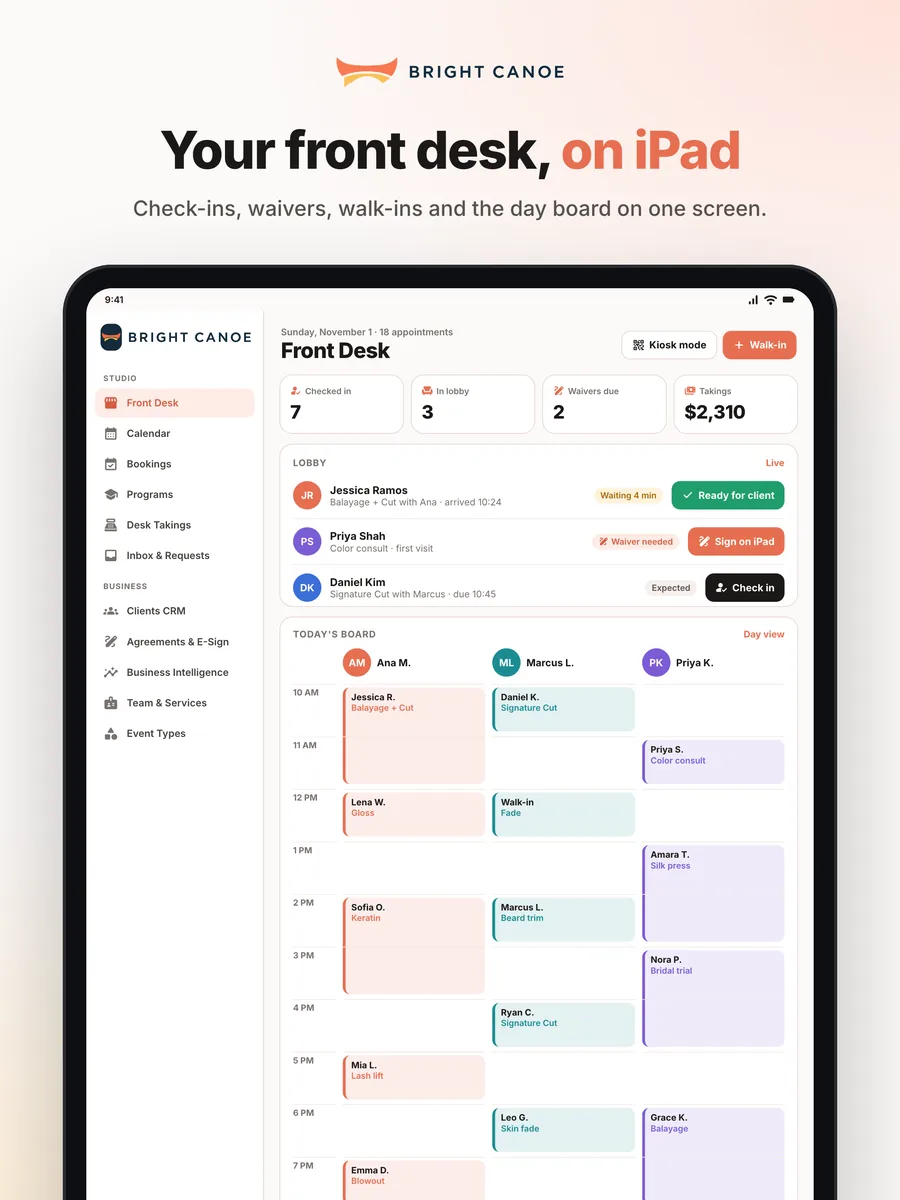
Set an iPad or Android tablet at reception and handle arrivals, walk-ins and paperwork without a computer.
Front Desk board
See who has arrived and who is waiting, check clients in and add walk-ins.
Kiosk mode
Let clients check themselves in at the counter while you keep working.
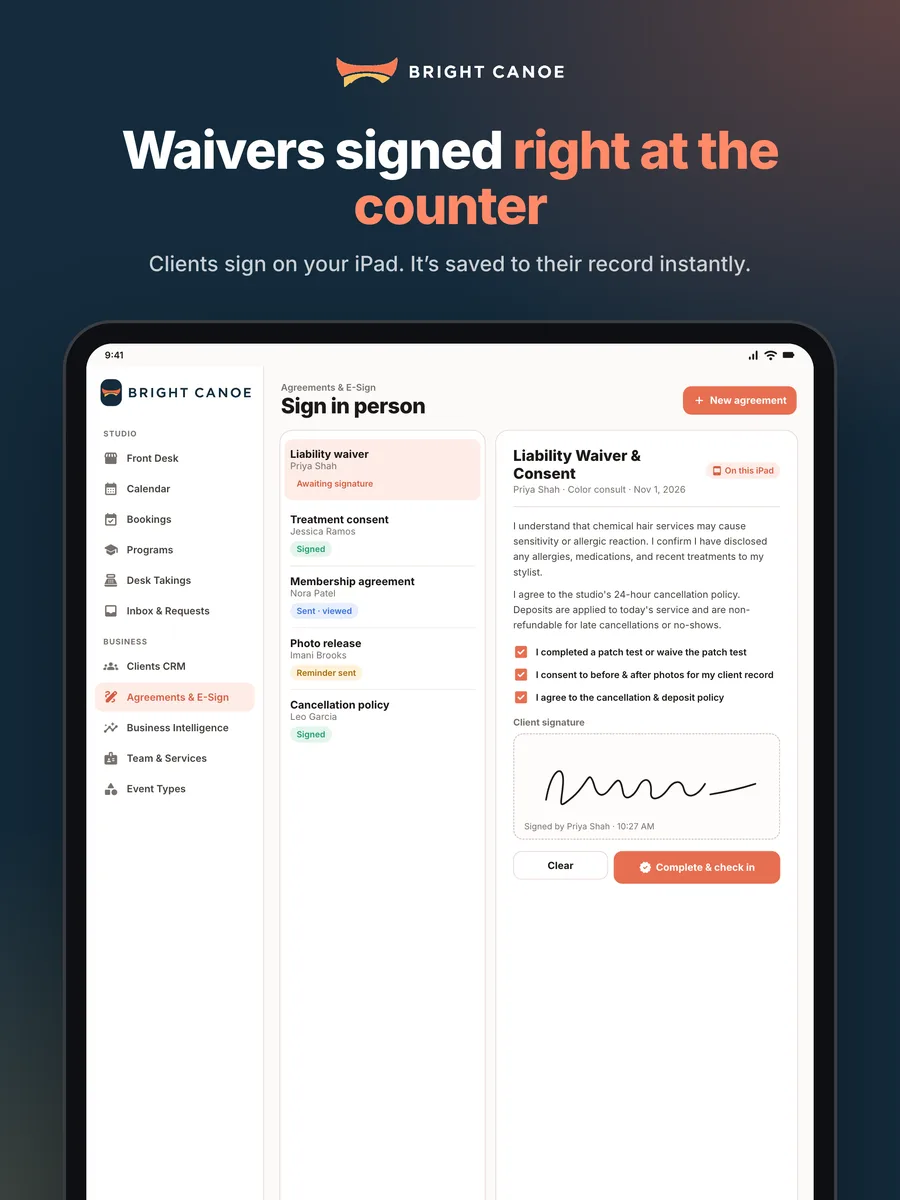
In-person waivers
Clients sign agreements right on the tablet, saved instantly to their record.
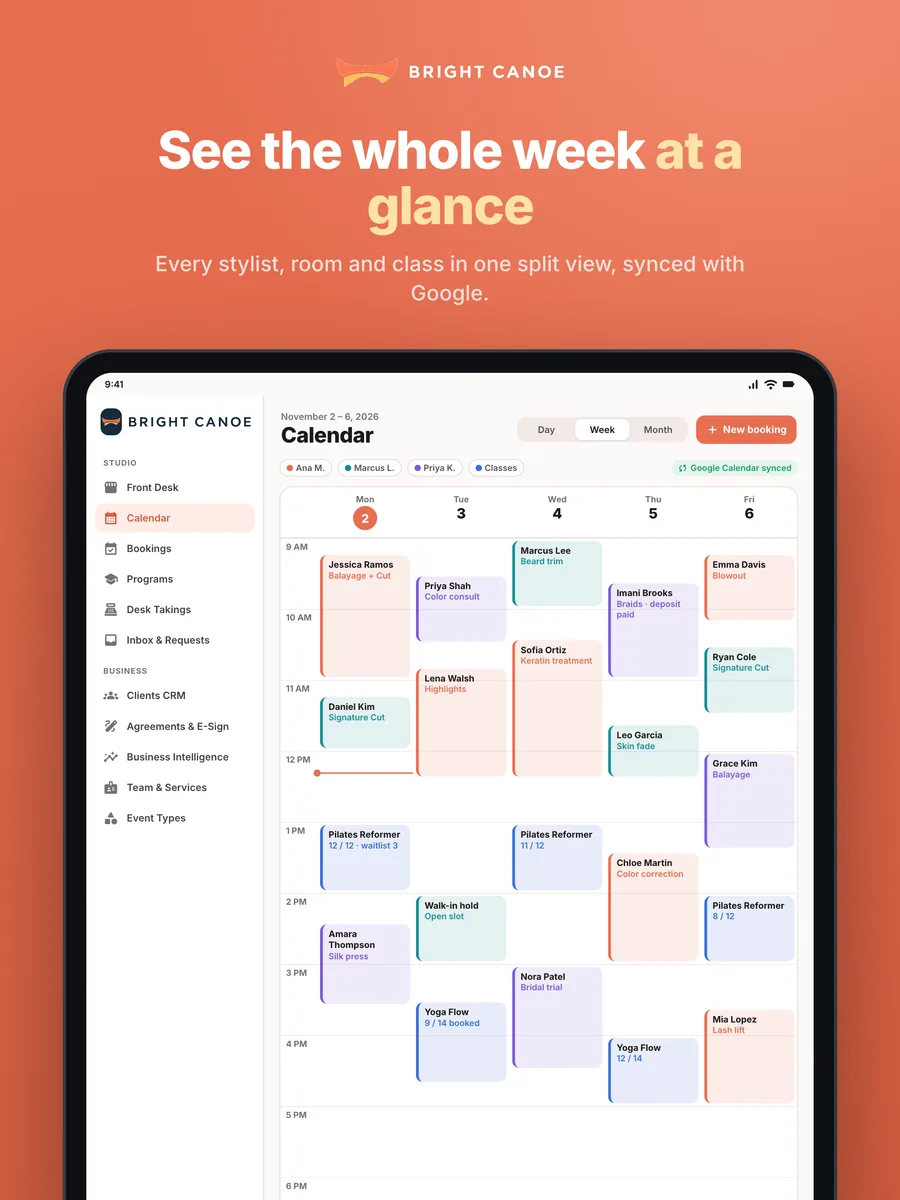
Side-by-side views
Week calendar, client records and agreements in a split view built for the big screen.
App or web: what goes where
The app is for running your day. The web is still where you set things up. Everything stays in sync.
| Feature | Phone | Tablet | Web |
|---|---|---|---|
| Calendar, bookings & clients | check_circle | check_circle | check_circle |
| AI receptionist inbox & approvals | check_circle | check_circle | check_circle |
| Push notifications | check_circle | check_circle | — |
| Field jobs, “On my way” texts & take payment | check_circle | — | — |
| Front desk, kiosk check-in & in-person waivers | — | check_circle | — |
| Follow-Up Radar & Lead Scout | check_circle | check_circle | check_circle |
| Voice commands for the AI assistant | check_circle | check_circle | — |
| AI phone line setup | — | — | check_circle |
| Client imports & bulk tools | — | — | check_circle |
| Plan & billing | — | — | check_circle |
Questions
Is the app free? expand_more
Yes. The app is free to download and works with every Bright Canoe plan, including the free plan. Features follow your plan, just like on the web.
Do I need a new account? expand_more
No. Sign in with the same Google or email login you use on brightcanoe.com. Your calendar, clients, bookings and settings are already there.
Is there an Android app? expand_more
Yes. Bright Canoe Business is on Google Play for Android phones and tablets, with the same features as the iPhone and iPad apps.
Which devices are supported? expand_more
iPhone and iPad running iOS or iPadOS 16 or later, and Android phones and tablets from Google Play. Tablets get their own layout with the Front Desk, kiosk mode and split views.
Can my staff use the app? expand_more
Yes. Team members sign in with their own accounts and see what their role allows, such as their own agenda or the front desk.
Need help? Visit Support or email support@brightcanoe.com.
Take Bright Canoe with you
Free on the App Store and Google Play.
New to Bright Canoe? Create a free account first, then sign in on the app.